EasyClean - File Cleaner
- 3.8
- Rating
- 1.00M
- Installs
- Free
- Price

 Analysis by App-foxy
I tried EasyClean - File Cleaner as a practical productivity app rather than treating it like a magic “make my phone faster” button. Its focus is straightforward: help clean unwanted files, scan networks, and support privacy-minded maintenance in one place. That combination makes sense for people who want a simple routine instead of several separate tools, although it also means the app asks you to move between different kinds of tasks.
The app is made by Delta Tools Dev and is free to use. It is available for Everyone, works on Android 7.0 and later, and its current version is 1.0.30. With over one million installs and an average rating of 3.9 from around two thousand ratings, it has attracted a sizeable audience without having the exceptionally polished reputation of the most established utility brands. I see that as a reason to test its workflow carefully rather than judge it only by its download count.
How EasyClean feels in everyday use
I find EasyClean most useful when I give each visit a clear purpose rather than treating it as a general phone-health dashboard. A quick check before freeing space or joining an unfamiliar network can fit naturally into a routine, but the value depends on taking time to understand what each result is asking me to do. That distinction sets up the bigger question: whether those occasional checks remain worthwhile over time.
You May Also Like

 Blood Strike: 2.5 Anniversary
Blood Strike’s Loadouts Turn Every Drop Into a Tactical Gamble
A close look at Blood Strike’s custom loadouts: how fast access to signature weapons reshapes its battle royale rhythm, rewards preparation, and narrows the gap between fights.

 Pandora - Music & Podcasts
Pandora’s Music Is Easy to Start, but Harder to Recover
Pandora’s strength is its low-effort path from a seed to a station. Its weak spot is how much confidence it asks you to place in connection, setup, and quiet recovery.

 8 Ball Pool
 Is Built on Rivalries, Rematches, and Routine
A close look at the rivalries, rematches, shared routines, and unanswered safety questions that turn a quick pool match into a persistent mobile community.

 Samsung Music
’s Quiet Strength Is Playing What You Already Own
Its reach comes less from spectacle than from dependable access to a personal library. That simplicity is both the app’s strongest retention engine and its ceiling.

 AccuWeather: Weather Radar
AccuWeather Review: A Quick, Clear Forecast for Everyday Decisions
For everyday plans, the best forecast is the one you can understand quickly. AccuWeather makes rain timing, radar, and local conditions easy to act on, with a few trade-offs.

 Hill Climb Racing
Why Hill Climb Racing Still Turns Crashes Into One More Run
A tiny car, a bumpy hill and one more upgrade: Hill Climb Racing keeps resurfacing because its simple chaos makes every near-miss feel personal.
More From Our News Desk



Readability and navigation matter more than extra buttons
The strongest idea behind EasyClean is its grouped purpose. Instead of opening a dedicated file cleaner, then a network utility, then a privacy tool, I can approach several maintenance jobs from the same app. That is useful when I want to do a quick check before travelling, freeing space before recording video, or reviewing a phone that has gradually become cluttered.
For a productivity tool, clear navigation is especially important. A cleaner can affect files that I may still need, so I do not want an interface that pushes me toward a large button without explaining what will happen next. My preferred way to use this app is deliberately slow: begin with the scan, inspect the categories it presents, and only then decide what belongs in the cleanup. That habit is more important than the promise of speed.
People with reduced vision may find a combined utility app convenient if its main actions are easy to identify, but convenience depends on the visual hierarchy. A screen with several equally prominent actions can make “clean,” “scan,” and “protect” feel interchangeable even though they have very different consequences. I would recommend increasing the phone’s system text size before starting, then checking whether labels remain comfortable to read and whether important warnings still fit naturally on screen.
That small preparation also helps anyone who gets tired when reading dense interfaces. EasyClean is best approached as a short sequence rather than a dashboard to explore all at once. I would open one function, finish it, and return to the main screen instead of jumping rapidly between tools. This reduces the chance of confusing a network scan with a storage cleanup.
Cleaning files without turning convenience into risk
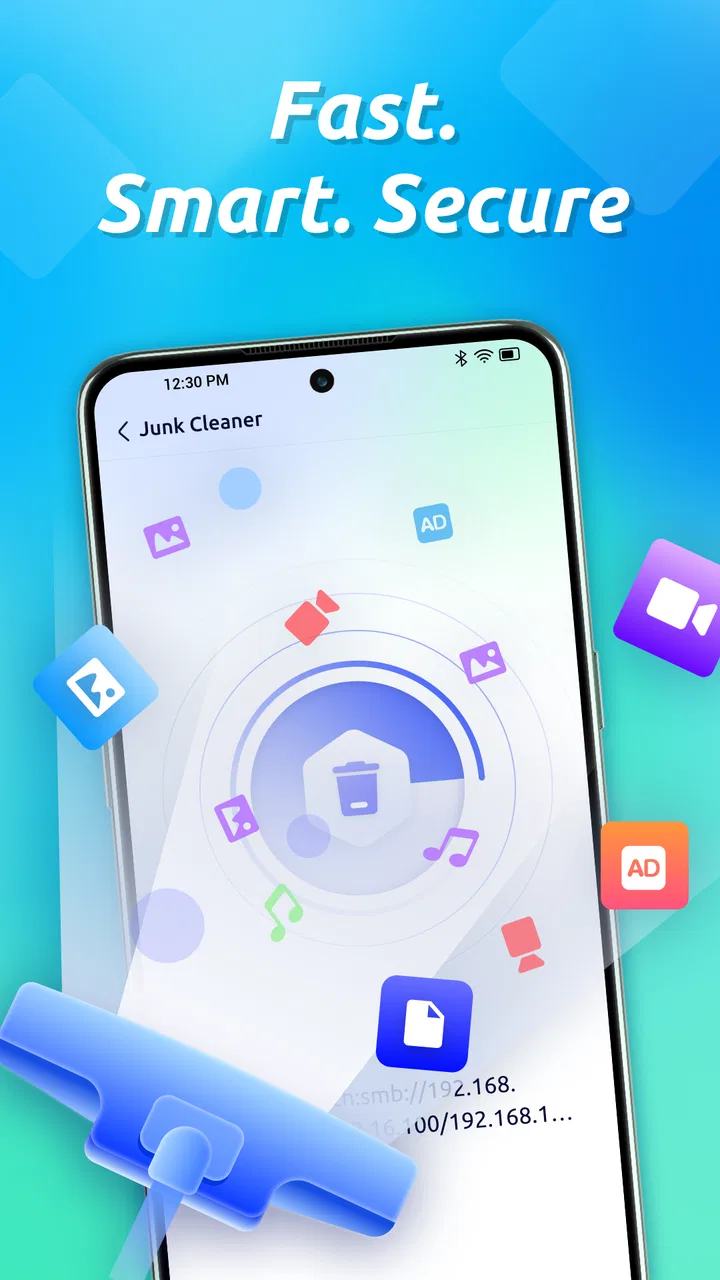
The file-cleaning side is likely to be the main reason most people install the app. In my view, its value is not simply deleting as much as possible; it is helping me notice where unnecessary material has accumulated. Temporary leftovers, duplicated downloads, and old media can be easy to overlook when browsing folders manually, while a focused scan gives me a more useful starting point.
There is an important trade-off here. Automated suggestions are convenient for someone who does not enjoy file management, but personal files do not always look “important” to a machine. A downloaded document may be needed for an appointment, an offline map may be valuable during travel, and a duplicate-looking photo may actually be the only copy with a different edit. I would never approve a full cleanup while distracted or in a hurry.
A safer routine is to clean in small batches. I would begin with obvious temporary material, leave personal photos and documents for a separate review, and check the amount of space recovered afterward. If the app presents groups rather than individual items, I would treat each group as a suggestion to investigate, not an instruction to remove everything. The most useful feature is the pause between detection and deletion, because that is where I remain in control.
This workflow also makes EasyClean more suitable for relatives who are uncomfortable with Android storage settings. I could show them how to scan first and select only familiar categories, rather than asking them to navigate system menus. However, I would still explain that a cleaner cannot replace a backup. Freeing space is not the same as preserving memories, and no cleanup routine should be the only copy of important material.
Network scanning has a different kind of usefulness
The network-scanning function gives the app a broader role than a conventional junk-file remover. I see it as useful when I join a home, hotel, school, or café network and want a quick look at the connection environment. It can fit into a simple check before using a shared network for sensitive activity, especially for someone who does not want to install a separate network utility.
Still, a scan is not a guarantee that a network is safe. It may help me notice information worth investigating, but it does not turn an unfamiliar connection into a trusted one. I would avoid treating a reassuring result as permission to enter banking details or share private files on public Wi-Fi. For those situations, the phone’s own network controls and sensible browsing habits remain essential.
This is also where the app’s accessibility angle becomes more complicated. Network information can be technical, and users who process information more comfortably through plain language may need time to understand what a result means. A concise status is helpful, but a result without context can create either false confidence or unnecessary alarm. I would use EasyClean’s scan as an observation tool, then make decisions based on the setting: a private home connection is not the same as an open public hotspot.
Privacy support is useful when it stays understandable
The privacy focus fits naturally beside network scanning, but privacy tools often become confusing when they use broad warnings. I look for a clear connection between an alert and an action I can take. If EasyClean identifies something that deserves attention, the practical question is whether I can understand why it matters and what changes after I respond.
For users with anxiety around security messages, a long list of warnings can be overwhelming. I would recommend reviewing one notice at a time and avoiding decisions based on color alone. A large warning color may attract attention, but the supporting words should determine the response. This is a good example of why readable text, predictable navigation, and the ability to pause are not cosmetic details in a privacy-oriented app.
Motor and sensory considerations
EasyClean can be helpful for people who find Android’s storage menus difficult to reach or remember, because putting related maintenance tasks together may reduce the number of navigation steps. That is a practical advantage for users with limited dexterity, hand fatigue, or difficulty performing repeated precise gestures. A short, deliberate workflow is easier to manage than hunting through several settings screens.
At the same time, cleanup decisions should not depend on quick tapping. Anyone with tremors or limited fine motor control may benefit from using the phone’s accessibility features, such as touch-and-hold timing adjustments or an alternative input method, if those are already comfortable. I would also avoid using the app while walking or riding in a vehicle. Scanning and deleting require attention, and accidental selections are more likely when the device is moving.
For sensory-sensitive users, the app’s combined purpose can be both helpful and demanding. One place for storage, network, and privacy work reduces app switching, but seeing several maintenance categories together may create cognitive overload. My practical suggestion is to assign each session one goal: storage today, network review another time, privacy checks when there is enough quiet to read the explanations. That makes the tool feel calmer and reduces decision fatigue.
People who rely on screen readers should test the key workflow before trusting the app with a large cleanup. I would check whether scan results, selection controls, headings, and confirmation steps are announced in a meaningful order. I cannot treat a utility as inclusive merely because it has simple wording; the actual sequence matters. If the screen reader reads decorative or unlabeled controls before the important action, a supposedly easy cleanup can become frustrating.
Situational access: where this app fits best
A realistic use case is a phone that has filled up after a family event. I might have several large videos, repeated downloads from messaging apps, and temporary material left by ordinary daily use. Before deleting anything, I would back up the recordings I care about, run EasyClean, review the suggested groups, and remove only items I can identify confidently. The app is valuable here because it gives me a single starting point, not because it eliminates the need for judgment.
Another scenario is preparing for a trip. I could use the cleaner before downloading maps or entertainment, then use the network function after arriving at a hotel or café. The two tasks are related in timing but not in meaning: one manages local storage, while the other helps me inspect a connection. Keeping that distinction clear prevents me from assuming that a clean phone and a safe network are the same thing.
EasyClean may also suit someone helping another person maintain an older Android phone. Because it supports Android 7.0 and newer, it can be relevant on devices that are not running the latest system. I would still keep expectations realistic: an app can remove clutter, but it cannot compensate for very limited hardware, a worn battery, or an operating system that no longer receives modern protections.
The free price makes experimentation easier for students, families, and occasional users who do not want another subscription. That matters for accessibility too, because a no-cost tool removes one financial barrier. Even so, “free” should not lead me to install it casually and approve every prompt. I would review what the app asks me to do, keep the device’s own security settings active, and uninstall it if its workflow becomes more confusing than the problem it is meant to solve.
Where the usual alternatives may be better
Android’s built-in storage tools are the first alternative I would compare. They are often enough for someone who only needs to remove a few large files, review unused apps, or manage downloads. System settings may feel less friendly, but they can be more familiar and more tightly connected to the device. If my goal is a one-time cleanup and I already understand those menus, EasyClean may not add enough value.
A dedicated file manager is a better choice when I need precise control. It lets me browse folders, rename items, move them to another location, and make decisions based on context rather than broad categories. EasyClean is more convenient for discovery, while a file manager is stronger for careful organization. I would choose the latter for work documents, photographs, or a phone shared with several people.
Separate network and privacy tools can also be preferable for advanced users. A specialist app may explain technical findings in greater depth, while EasyClean’s appeal is having several basic maintenance functions together. The trade-off is simplicity versus specialization. I would choose EasyClean for a quick, approachable check and a dedicated tool when I needed detailed diagnostics or a narrowly defined security workflow.
That comparison explains the app’s middling average rating more fairly than simply calling it good or bad. A person expecting a complete security suite, a professional network analyzer, or a fully automatic performance fix may be disappointed. Someone wanting a free, consolidated maintenance assistant may find the balance more sensible.
Remaining barriers and careful habits
The biggest barrier is the possibility of overconfidence. The words “cleaner” and “privacy” can make a utility sound more powerful than it is. EasyClean can support decisions about clutter and connections, but it should not replace backups, cautious permissions, software updates, or responsible behavior on public networks. I would explain that distinction clearly before recommending it to a less technical user.
Another barrier is the mental effort required to verify suggested deletions. That effort is worthwhile, but it means the app is not equally convenient in every situation. If I am rushing to free space before an urgent recording, I might make a poor decision. In that case, I would first move known files to safe storage or use the phone’s own clearly identified storage controls rather than rushing through a broad scan.
There is also a learning curve in separating the app’s three purposes. A new user may assume that cleaning files, scanning a network, and checking privacy are parts of one single health score. I would introduce the functions separately and keep notes about what I changed. That creates a simple record and makes it easier to notice whether a later problem came from storage management, connectivity, or something unrelated.
For users with cognitive disabilities, a helper can make the first session much safer by agreeing on a rule such as “never remove personal files during the first scan.” For users with low vision, a larger display setting and a quiet environment can make review easier. For users with limited motor control, an external keyboard, voice input, or slower touch settings may reduce accidental selections. These are not special claims about the app; they are practical ways to make its decision-heavy workflow more manageable.
My inclusive verdict
I see EasyClean - File Cleaner as a useful general-purpose maintenance app for people who want one free place to review clutter, inspect a network, and think about privacy. Its strongest quality is the way it brings those everyday concerns together without requiring me to search for several separate utilities. The app is especially appealing for casual Android users, families helping maintain older phones, and anyone who prefers guided discovery over manual folder browsing.
My recommendation comes with a firm condition: use it as an assistant, not an automatic authority. Scan first, read the categories, protect important files, and approve only what you recognize. For network and privacy results, treat the information as a prompt for safer behavior rather than a guarantee. EasyClean works best when accessibility means having more time, clearer choices, and control over each decision.
I would skip it if I require professional-grade network analysis, detailed file management, or a tool that can be trusted to make every cleanup decision without supervision. In those cases, Android’s own controls or a specialized alternative may be a better fit. But for a free productivity app aimed at everyday maintenance, EasyClean offers a reasonable starting point, provided I slow down where the consequences matter.
After using it, my final advice is simple: install it for a specific job, such as checking accumulated clutter before a trip, and judge whether its explanations genuinely help you. If the screens are readable, the actions are understandable, and the review step feels comfortable with your preferred input method, it can earn a place in a personal maintenance routine. If the combined tools feel crowded or the cleanup suggestions demand too much interpretation, keeping the phone’s built-in tools may be the more accessible choice.
FAQs for EasyClean - File Cleaner
01What features does EasyClean - File Cleaner offer?
EasyClean - File Cleaner provides a comprehensive suite of features designed to optimize your device's performance. It includes junk file removal, cache cleaning, and memory boosting. Additionally, it offers a photo and video manager to help sort and delete duplicate files, ensuring your storage space is efficiently utilized.
02Is EasyClean - File Cleaner safe to use on my device?
Yes, EasyClean - File Cleaner is designed with user safety in mind. It does not delete any files without your permission and provides a preview of the files it intends to clean. The app prioritizes user data security and adheres to strict privacy policies, ensuring your personal information remains confidential.
03How does EasyClean - File Cleaner improve device performance?
EasyClean boosts device performance by removing unnecessary files that clutter your system, such as cache, residual files, and temporary data. By freeing up storage space and optimizing memory usage, the app helps your device run more smoothly and efficiently, reducing lag and improving overall speed.
04Does EasyClean - File Cleaner support both Android and iOS platforms?
Yes, EasyClean - File Cleaner is available for both Android and iOS devices. The app is designed to cater to the unique needs of each platform, ensuring a seamless user experience regardless of the device you use. Check the download links on our website for the correct version for your device.
05Are there any costs associated with using EasyClean - File Cleaner?
EasyClean - File Cleaner offers a free version with basic features that are sufficient for general use. However, there is a premium version available which provides additional features like advanced cleaning options and priority customer support. Users can choose to upgrade based on their needs and preferences.
Pros
- User-friendly interface for quick navigation.
- Efficiently clears cache and junk files.
- Boosts device performance noticeably.
- Supports multiple languages.
- Regular updates ensure compatibility.
Cons
- Contains in-app ads that can be intrusive.
- Limited features in the free version.
- Occasional lag on older devices.
- Requires access to sensitive device data.
- No built-in antivirus protection.

EasyClean - File Cleaner
Gallery